Greenhouse Jobs on Google for Jobs: WordPress Guide
What Google needs to show your Greenhouse jobs from your own WordPress site. A page per job, JobPosting data, a sitemap, closed jobs removed.
Checked on
Google for Jobs is the job panel above the normal search results. This guide covers getting your Greenhouse jobs there from your own WordPress site.
Greenhouse already covers its hosted board
Greenhouse adds job data to its hosted job posts. In its words, they “automatically include basic metadata so Google can display your job posts in search results more easily.”
For your own site, the same page asks for two things.
“Mark up your job listings with job posting structured data”, and “Include a sitemap (or an RSS/Atom feed) with a <lastmod> date for each job listing.”
What Google for Jobs needs from your Greenhouse jobs on WordPress
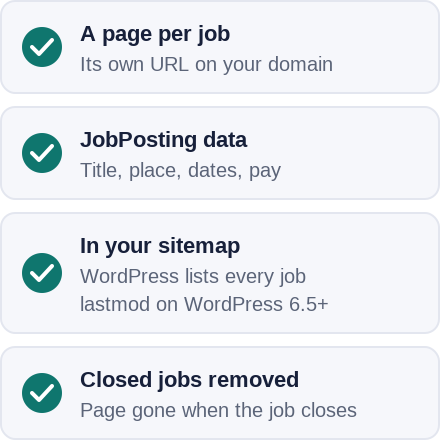
- A page per job. Each job needs its own URL with the full job in the HTML. For embeds, see Greenhouse iframe SEO.
- JobPosting data. Google’s job posting guide requires
title,description,datePosted,hiringOrganizationandjobLocation. - A sitemap. WordPress lists each job post in its XML sitemap, with
lastmodsince WordPress 6.5. - Closed jobs removed. Google accepts a past
validThrough, a 404 or 410, or noJobPostingdata.
How Greenhouse fields map to JobPosting
This is what our Greenhouse WordPress plugin sends, per job. It leaves a field out rather than guess.
| From Greenhouse | JobPosting field | Note |
|---|---|---|
| Job title | title | |
| Job description | description | |
| First published date | datePosted | |
| Company name | hiringOrganization | Unless you set a name in WordPress |
| Job ID | identifier | |
| Office address or location | jobLocation | |
| “Remote - United States” | jobLocationType | Plus the country, in applicantLocationRequirements |
| Employment type field | employmentType | When your board has one |
| Pay range on the job post | baseSalary | When the pay period is clear |
| Application deadline | validThrough | Else 30 days ahead, renewed while open |
| On-site apply form in use | directApply | Set by the plugin, not Greenhouse |
A job with no place Google accepts gets no JobPosting data at all.
Every rule and switch is in Greenhouse jobs sync settings.
Pay has its own rules. See Greenhouse pay transparency on WordPress.
When the same job is on two sites
Your job page and the hosted Greenhouse page can both carry job data.
Google picks which one to show. No site or plugin controls that.
What you control: a complete, fast page on your domain, linked from your site.
Get new jobs to Google sooner
Google’s guide says: “For job posting URLs, we recommend using the Indexing API instead of sitemaps because the Indexing API prompts Googlebot to crawl your page sooner.”
The plugin can send those notices. See the Google Indexing API setup.
It asks Google to crawl. It does not promise a place in results.
Check it in Search Console
- Paste a job URL into Google’s Rich Results Test. It should find a valid Job posting.
- In Search Console, submit your sitemap under Indexing → Sitemaps.
- Use URL Inspection on a job page. Click Request indexing for the first few.
- After a few days, open the Job postings report under Enhancements.
Warnings about optional fields, like salary, don’t block a page.
Errors do. Fix those first.
Put your Greenhouse jobs on your own site
Each job gets its own page. $69 a year, not on sale yet.